
REST API · v1 · Developed by BRYLIX

Powering SPMDC
Point of Sale
Operations

A robust and secure REST API purpose-built for the Seed Production and Marketing Development Centre — enabling seamless POS transactions, inventory management, and sales reporting.

Base URL: /api/v1
GET /products List seed products
POST /orders Create POS order
GET /inventory/stock Stock levels
PUT /customers/{id} Update customer
Seed Products

Full catalogue with variety, grade & pricing

POS Orders

Real-time order processing & receipts

Inventory

Live stock levels across all seed varieties

Reports

Sales analytics & daily summaries

30+
API Endpoints
REST
Architecture
JSON
Response Format
24/7
Uptime Guarantee
Department of Agriculture Sri Lanka
Core Capabilities

Everything the SPMDC POS
needs to operate

Designed to support front-counter seed sales, back-office inventory management, and executive-level reporting all through a single API.

Secure Authentication

API key-based and Bearer token authentication with role-based access control for cashier, supervisor, and admin roles.

Seed Product Catalogue

Browse and search seed products by crop variety, season, grade, lot number, and availability — including certified seed details.

POS Transaction Engine

Create, confirm, and void sales transactions with automatic invoice numbering, tax handling, and receipt data generation.

Inventory Tracking

Real-time stock level queries, low-stock alerts, and batch/lot tracking across multiple storage locations.

Customer Management

Farmer customer profiles, purchase history, and subsidy eligibility records for agricultural beneficiary programs.

Sales Reporting

Daily, weekly, and monthly sales summaries, product-wise breakdowns, and exportable reports for audit and analysis.
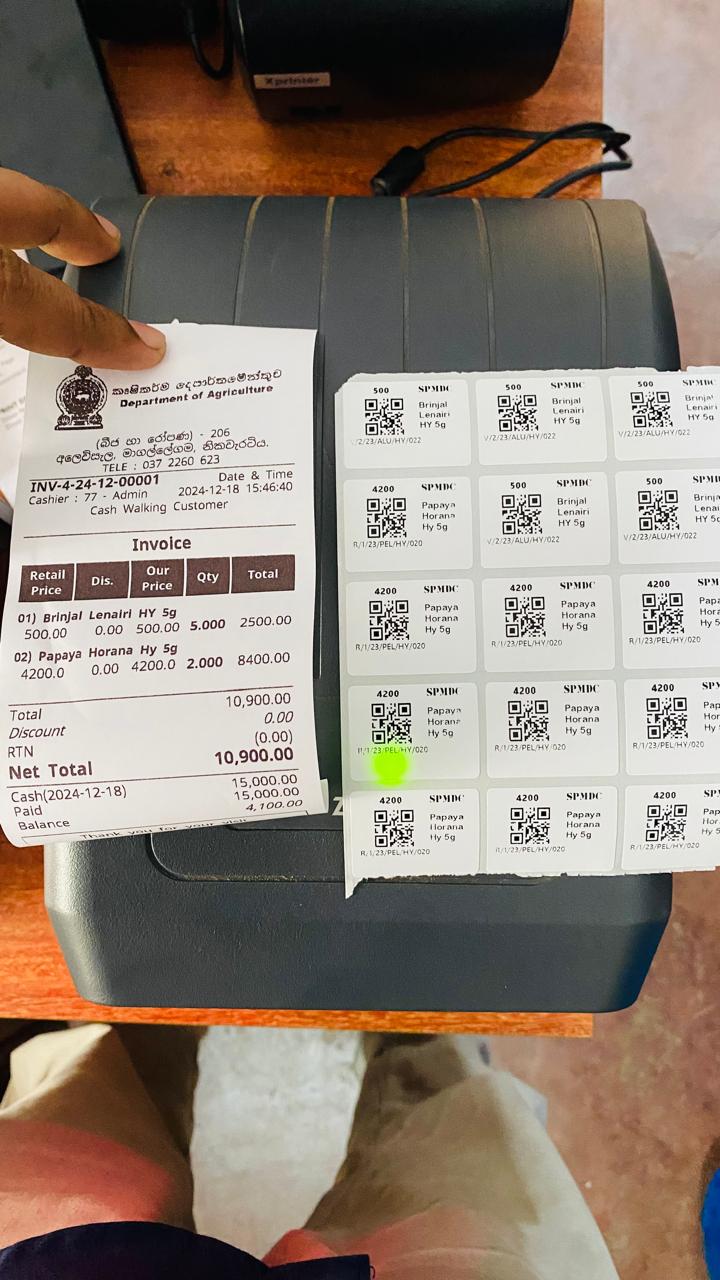
SPMDC Nikaweratiya Field Project
API Reference

Key Endpoint Groups

All endpoints versioned under /api/v1. Authentication via X-API-Key header required.

Products
GET /products List all
GET /products/{id} Single
GET /products/search Search
GET /products/categories Categories
Orders / POS
POST /orders Create
GET /orders/{id} Detail
PUT /orders/{id}/confirm Confirm
DEL /orders/{id}/void Void
Inventory
GET /inventory/stock Levels
GET /inventory/lots Batch/lots
POST /inventory/adjust Adjust
GET /inventory/low-stock Alerts
Customers
GET /customers List
POST /customers Create
PUT /customers/{id} Update
GET /customers/{id}/orders History
Reports
GET /reports/daily Daily
GET /reports/sales Sales
GET /reports/products Products
GET /reports/export Export
Auth & Users
POST /auth/login Login
POST /auth/logout Logout
GET /auth/me Profile
PUT /auth/password Password
Integration Guide

How to Get Started

Connect your POS terminal or application to the SPMDC API in four simple steps.

01
Request API Key

Contact the SPMDC system administrator to obtain your API credentials.

02
Authenticate

Send your key in the X-API-Key header with every request.

03
Explore Endpoints

Read the API documentation and integrate products, orders, and inventory into your POS application.

04
Go Live

Switch to the production URL and start processing real SPMDC seed sales.

Built With

Technology Stack

Laravel MySQL PHP 8+ API Key Auth RESTful JSON Rate Limiting HTTPS Only

Designed, developed, and maintained by BRYLIX for the Department of Agriculture, Sri Lanka.